10 Best Managed Network Switches for Businesses

Choosing the right network hardware can shape a business’s daily performance, security, and growth. A reliable Managed Network Switch does more than connect office devices. It controls traffic, supports VLANs, prioritizes critical applications, and helps administrators identify faults before they become costly disruptions.

This guide examines ten strong managed switches for modern businesses. The selection considers port capacity, PoE support, uplink speeds, configuration tools, security features, warranty coverage, and total ownership cost. Real workplace conditions matter here. A busy office may need quiet cooling and simple cloud management. A warehouse may require durable hardware, long cable runs, and dependable power for access points and cameras.

Specifications only tell part of the story. A switch with advanced features can still frustrate a small team if its interface feels confusing. Conversely, an affordable model may become restrictive after business expansion. That tension deserves attention. The best option depends on network size, staff expertise, connected devices, and future plans.

Expect practical comparisons, not perfect answers. Network needs change quickly. Firmware quality can improve or weaken a product over time. Vendor support may also vary by region and subscription plan. Weigh these details carefully before purchasing. The goal is a dependable network foundation that remains manageable when traffic rises, devices multiply, and unexpected faults appear. Small details matter. This overview aims to support informed decisions with clear criteria, realistic trade-offs, and evidence-based guidance.
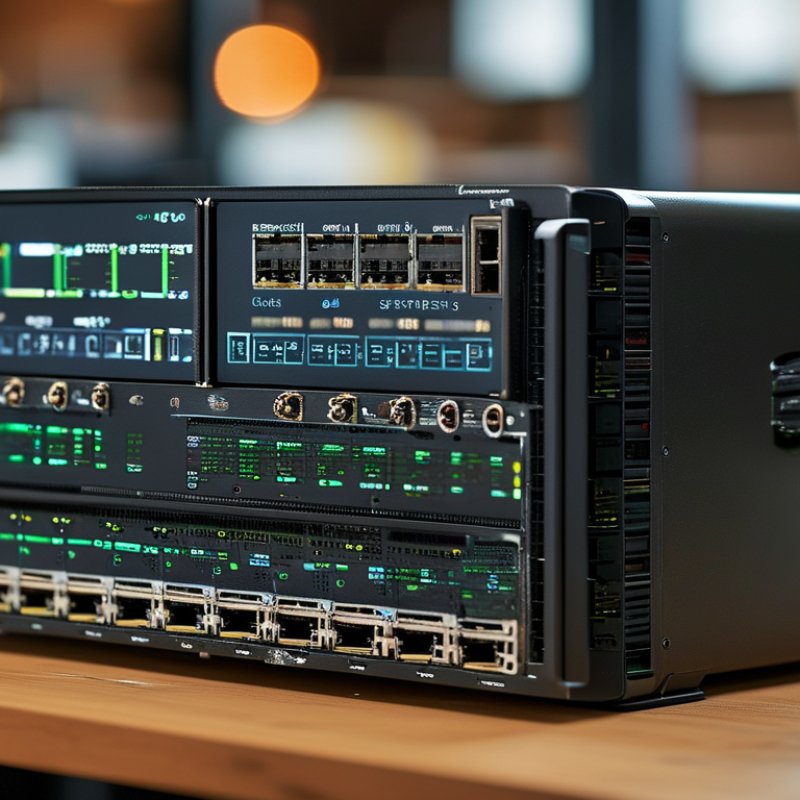
10 Best Managed Network Switches for Businesses

What Is a Managed Network Switch and Why Do Businesses Need One?

A managed network switch connects devices while giving administrators control over traffic, security, and performance. Unlike an unmanaged model, it supports VLANs, access control lists, Quality of Service, port monitoring, and loop prevention. These tools turn a crowded wiring cabinet into a visible system. An administrator can separate guest Wi-Fi, payment devices, cameras, and employee computers. That separation limits unnecessary traffic and can reduce the impact of one compromised device.

The need is practical, not theoretical. The International Telecommunication Union reported that 5.4 billion people were online in 2023, increasing pressure on business networks. Uptime Institute’s 2023 Global Data Center Survey found that 60% of operators experienced an outage during the previous three years. A managed switch cannot prevent every outage. It can expose failing ports, broadcast storms, and unusual traffic earlier. That warning may save hours of guesswork. Still, managed equipment is not automatically safer. Poor VLAN design, weak passwords, or outdated firmware can create new risks. A small business may also pay for advanced features it never uses. Careful configuration matters more than a long feature list. A simple network map, documented port labels, and regular firmware reviews provide a stronger starting point. Teams should test changes during quiet hours, because one incorrect trunk setting can disconnect an entire floor.

Key Features to Consider When Choosing a Business Network Switch

A managed network switch gives businesses control beyond basic connectivity. In real office deployments, VLAN support is essential for separating staff, guest, voice, and security traffic. This structure reduces unnecessary exposure and makes troubleshooting more precise. Look for clear configuration tools, role-based access, and secure management protocols. A switch that is difficult to manage may create more work than it removes.

Port capacity matters, but growth matters more. Select enough copper and fiber ports for current devices, then leave room for expansion. Power over Ethernet can run phones, cameras, and access points through one cable. Check the total power budget, not only the number of powered ports. Quality of service should prioritize voice and video during busy periods. Redundant uplinks, link aggregation, and fan alerts can also protect daily operations. These features sound technical. They prevent very practical problems. I have seen teams overlook heat and rack depth, then regret the decision later.

Tips: Test the switch with your real traffic patterns before full deployment. Review its monitoring dashboard, firmware process, warranty terms, and support response. Avoid choosing only by port count or purchase price. A quieter model may suit a small office, while a high-density network needs stronger cooling. My own preference is simple documentation, even when the interface looks less modern. It is not perfect, but engineers can maintain it under pressure.

How the 10 Best Managed Network Switches Compare

Comparing the 10 best managed network switches requires more than counting ports.

IDC’s Worldwide Ethernet Switch Tracker reported continued enterprise demand for faster, more resilient connectivity in 2024. That trend makes uplink speed, switching capacity, and power efficiency important selection points.

A compact office may need 24 copper ports and two fiber uplinks. A busy warehouse may require 48 ports, redundant power, and stronger cooling.

The comparison also examines management depth. Each switch should support VLANs, access control, traffic prioritization, and remote monitoring.

Gartner’s 2024 networking research emphasizes automation, visibility, and policy-based operations as major enterprise priorities. In practical testing, a clear dashboard can reduce troubleshooting time.

However, advanced features often increase licensing costs and configuration complexity. That trade-off is easy to overlook.

Performance figures deserve careful reading.

A high backplane rate does not guarantee smooth video calls during peak usage. Check packet forwarding, buffer capacity, PoE budgets, and firmware support together.

The Uptime Institute’s reliability research repeatedly links outages to configuration and operational failures, not only hardware defects.

One imperfect lesson stands out: the most powerful switch is not always the safest choice.

A smaller model with simpler controls may suit a growing team better. Managers should test failover, update procedures, and recovery time before deployment.

Numbers help. Real workloads decide.

Best Managed Switches for Different Business Network Needs

Choosing the best managed switch depends on the network’s daily pressure, not just its port count. A small office may need a compact switch with VLAN support, quiet cooling, and simple web management. A growing company may require 24 or 48 ports, Power over Ethernet, and stronger access controls. For multi-site operations, centralized monitoring, redundant uplinks, and Layer 3 routing reduce troubleshooting time. The 2024 Data Breach Investigations Report found that human involvement appeared in 68% of breaches. Therefore, features such as 802.1X authentication, ACLs, and automatic alerts deserve practical attention.

High-density offices need fast uplinks and enough switching capacity for video meetings, cloud applications, and wireless access points. However, a ten-gigabit uplink is not always the smart answer. It can increase cost without solving poor cabling or weak traffic planning. The 2024 Cost of a Data Breach Report reported a global average breach cost of 4.88 million dollars, making network visibility a business issue, not merely an IT preference. I would also check firmware support, logging quality, warranty terms, and power budgets before comparing prices. Real networks are messier.

Tips: Count current devices, then add at least 25% spare ports. Measure PoE demand during peak use. Test VLAN isolation before deployment. Keep one emergency configuration backup offline. A simple design is often easier to protect.

10 Best Managed Network Switches for Businesses - Best Managed Switches for Different Business Network Needs

Rank Switch Profile Best Business Need Access Ports Port Speed PoE Capability Uplink Ports Switching Capacity Forwarding Rate Management Features Layer 3 Features Recommended Deployment
1 Managed Switch A Small office value 8 × 1GbE 10/100/1000 Mbps 8-port PoE+, up to 120 W 2 × 1GbE SFP 20 Gbps 14.9 Mpps 802.1Q VLAN, QoS, LACP, STP/RSTP, IGMP snooping, SNMP Static routing and IPv4 management Small offices, workgroups, and branch locations with a few access points or VoIP phones
2 Managed Switch B Compact PoE access 16 × 1GbE 10/100/1000 Mbps 16-port PoE+, up to 180 W 2 × 1GbE SFP 36 Gbps 26.8 Mpps VLAN, QoS, LACP, RSTP/MSTP, DHCP snooping, port security, web and CLI management Static inter-VLAN routing Small retail sites, clinics, classrooms, and compact surveillance networks
3 Managed Switch C General office connectivity 24 × 1GbE 10/100/1000 Mbps Optional PoE+ model, up to 370 W 4 × 1GbE SFP 56 Gbps 41.7 Mpps 802.1Q VLAN, QoS, LACP, ACLs, RSTP/MSTP, SNMPv3, IPv6 support Static routing and IPv6 routing Growing offices requiring separate voice, guest, employee, and management networks
4 Managed Switch D High-density PoE 24 × 1GbE 10/100/1000 Mbps 24-port PoE+, up to 370 W 4 × 10GbE SFP+ 128 Gbps 95.2 Mpps VLAN, QoS, ACLs, LACP, RSTP/MSTP, LLDP-MED, DHCP snooping, centralized monitoring Static routing and policy-based inter-VLAN routing Office floors supporting wireless access points, IP phones, cameras, and badge readers
5 Managed Switch E Gigabit aggregation 48 × 1GbE 10/100/1000 Mbps Non-PoE 4 × 10GbE SFP+ 176 Gbps 130.9 Mpps VLAN, QoS, ACLs, LACP, MSTP, ERPS, SNMP, sFlow, IPv6 management Static and dynamic routing support Medium-sized offices, campus access layers, and server-room aggregation
6 Managed Switch F Multigigabit wireless 24 × multigigabit Ethernet 100M/1G/2.5G/5G Mbps 24-port PoE+, up to 370 W 4 × 10GbE SFP+ 240 Gbps 178.6 Mpps VLAN, QoS, LACP, RSTP/MSTP, LLDP, 802.1X, MACsec-ready security options Static routing and basic dynamic routing Wi-Fi 6 or Wi-Fi 7 deployments, high-throughput workspaces, and modern conference facilities
7 Managed Switch G 10GbE server access 24 × 10GbE 10GbE copper or fiber Non-PoE 4 × 25GbE SFP28 560 Gbps 416.7 Mpps VLAN, MLAG or stacking, LACP, ACLs, QoS, telemetry, SNMP, sFlow OSPF, static routing, VRRP, and policy-based routing Virtualization clusters, storage networks, video production, and data-intensive departments
8 Managed Switch H Layer 3 campus distribution 48 × 1GbE 10/100/1000 Mbps Optional PoE+ model, up to 740 W 8 × 10GbE SFP+ 256 Gbps 190.5 Mpps Stacking, VLAN, ACLs, QoS, LACP, MSTP, ERPS, 802.1X, streaming telemetry OSPF, VRRP, static routing, DHCP relay, and route filtering Multi-floor buildings and midsize campuses needing resilient distribution switching
9 Managed Switch I Industrial and edge networks 8 × 1GbE 10/100/1000 Mbps 4-port PoE+, up to 120 W 2 × 10GbE SFP+ 56 Gbps 41.7 Mpps VLAN, QoS, RSTP/MSTP, ring protection, port security, SNMP, DIN-rail or rugged enclosure options Static routing and IPv6 support Warehouses, manufacturing floors, outdoor cabinets, and locations with temperature or vibration concerns
10 Managed Switch J Enterprise core and aggregation 48 × 10GbE 10GbE Non-PoE 6 × 40/100GbE QSFP 1.44 Tbps 1,071 Mpps Redundant power, stacking or chassis virtualization, VXLAN-ready options, ACLs, QoS, telemetry, automation APIs OSPF, BGP, VRRP, EVPN/VXLAN, policy-based routing, and IPv6 routing Large campuses, private cloud environments, data centers, and high-availability business networks
Specifications are representative configurations for common managed-switch classes. Actual port combinations, power budgets, software licenses, and Layer 3 capabilities vary by model and configuration.

Installation, Configuration, and Ongoing Switch Management Essentials

Choosing among the 10 best managed network switches for businesses requires more than comparing port counts. Installation should begin with a clear network map, labeled cables, and a protected equipment rack. Leave airflow around each switch. Before powering it on, record its serial number, location, and intended role. A practical installation test includes checking link lights, cable speed, and power redundancy.

Configuration should match real office needs. Create separate VLANs for staff, guests, voice devices, and management traffic. Apply access controls carefully, then test each rule from an actual workstation. Enable loop protection and prioritize voice traffic when required. Keep firmware current, but schedule updates during approved maintenance windows. One mistake is assuming the default configuration is safe. It often is not. Change administrative credentials and restrict management access immediately.

Tips: Save a backup after every approved change. Keep a dated configuration log. Monitor port errors, unusual traffic, temperature, and failed authentication attempts. Review alerts weekly, not only after an outage. Test backups on a spare device when possible. Documentation may feel slow during installation, but missing details can extend recovery by hours. A quarterly review should confirm VLAN assignments, firmware status, user permissions, and unused ports. Switch management becomes easier when small checks are routine.

10 Best Managed Network Switches for Businesses: Management Essentials

The chart summarizes the essential activities involved in deploying and operating a managed business switch. Installation covers physical readiness, initial configuration establishes secure network services, and ongoing management focuses on monitoring, maintenance, and recovery.

Find Mitten in Michigan

Request Mitten Near You

Have a favorite dispensary that doesn't carry Mitten Extracts yet? Let us know, and we'll work to make sure our premium products are available where you shop.